 ChatSheet
Export WhatsApp group members, contacts and chats to Excel, CSV or vCard.
Free, no hidden charges or export limits. ChatSheet is a Chrome extension that works with WhatsApp Web, and everything stays on your computer.
- No sign-up or account
- No export limits
- Your data stays with you
Everything you see in WhatsApp Web, as a tidy spreadsheet
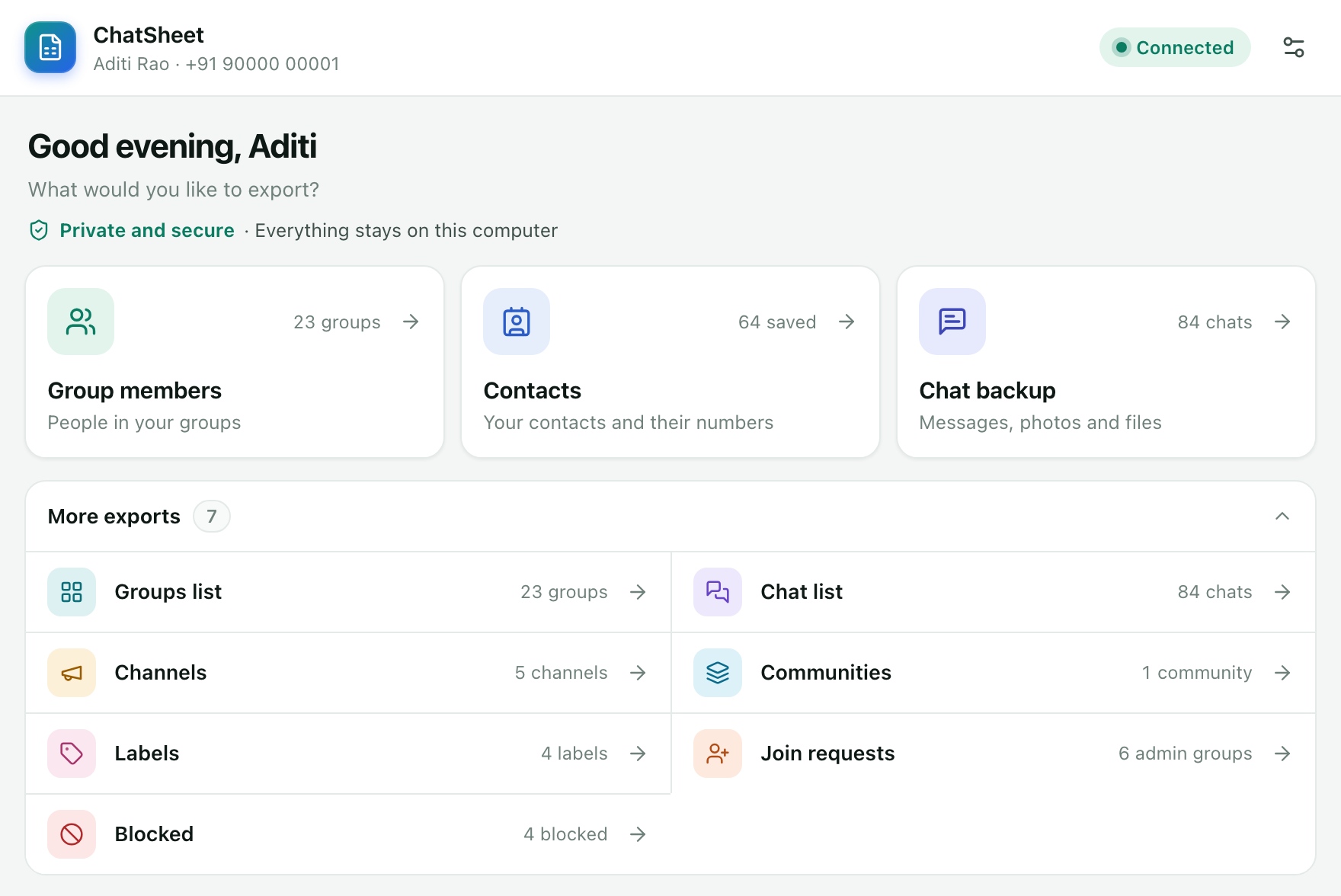
Pick what you need, choose your groups or chats, and save it as Excel (.xlsx), CSV, JSON or vCard.
-
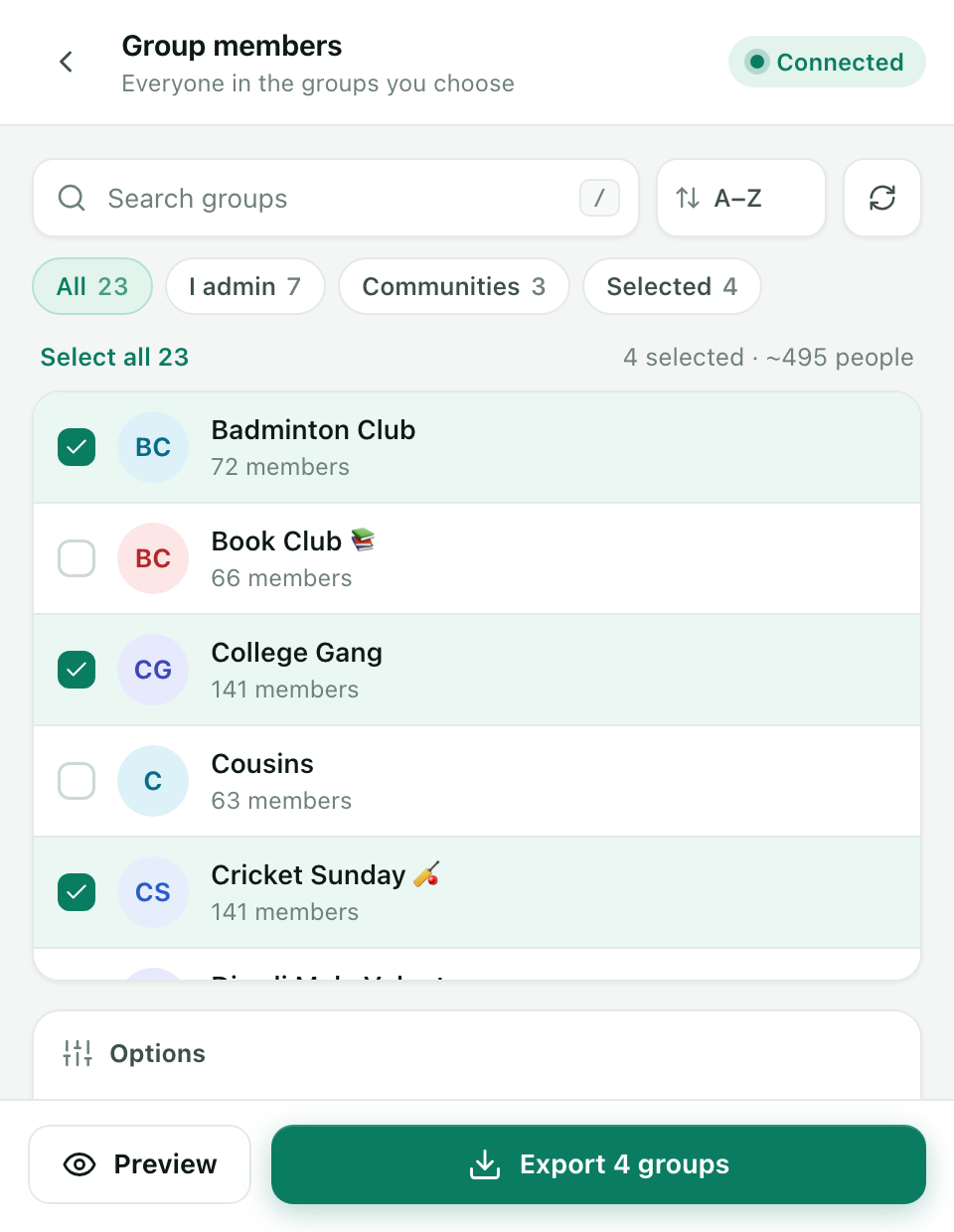
Group members
One group or many. Everyone, only admins, people saved in your phone or people who aren't. One row per person, or a sheet per group.
-
Groups list
Every group with its size, admins, your role, community, created date, settings, description and, for groups you admin, the invite link.
-
Contacts
Saved contacts, everyone, people you haven't saved, or businesses. Duplicates are merged by number.
-
Chats
Your chat list with last message time, unread, archived, pinned and muted status, and labels.
-
Chat messages
One chat, several or all of them. Set a date range, keep photos and voice notes, or save a backup that reads like a chat.
-
Channels
The channels you follow or run. Follower lists are private on WhatsApp, so they aren't included.
-
Communities
Your communities and the groups inside each one.
-
Labels
For WhatsApp Business: your labels and the chats in each one.
-
Join requests
People waiting to join the groups you admin.
-
Blocked numbers
A list of everyone you have blocked.
Check it before you save it
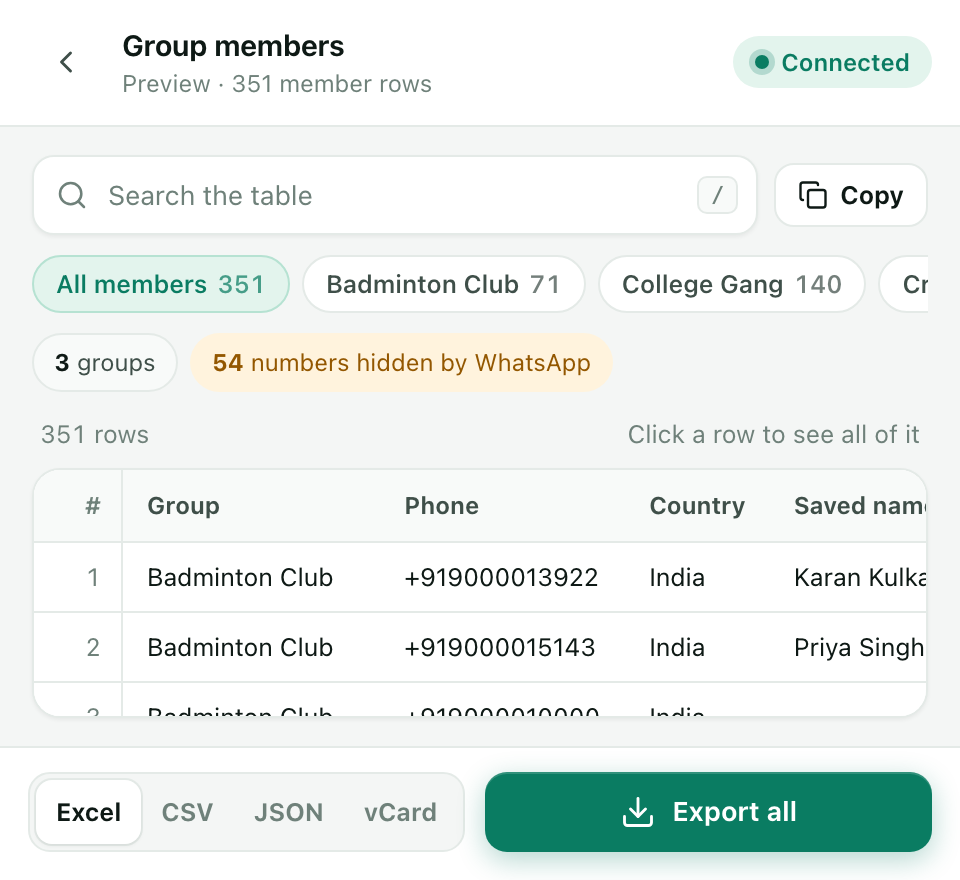
Open any export as a table first, so you know exactly what you'll get.
- Search, and sort by any column
- A tab for each group when you pick several
- Export everything, or just the rows you see
- Copy the table and paste it straight into Google Sheets
- Hide the columns you don't need
All your chats in one file
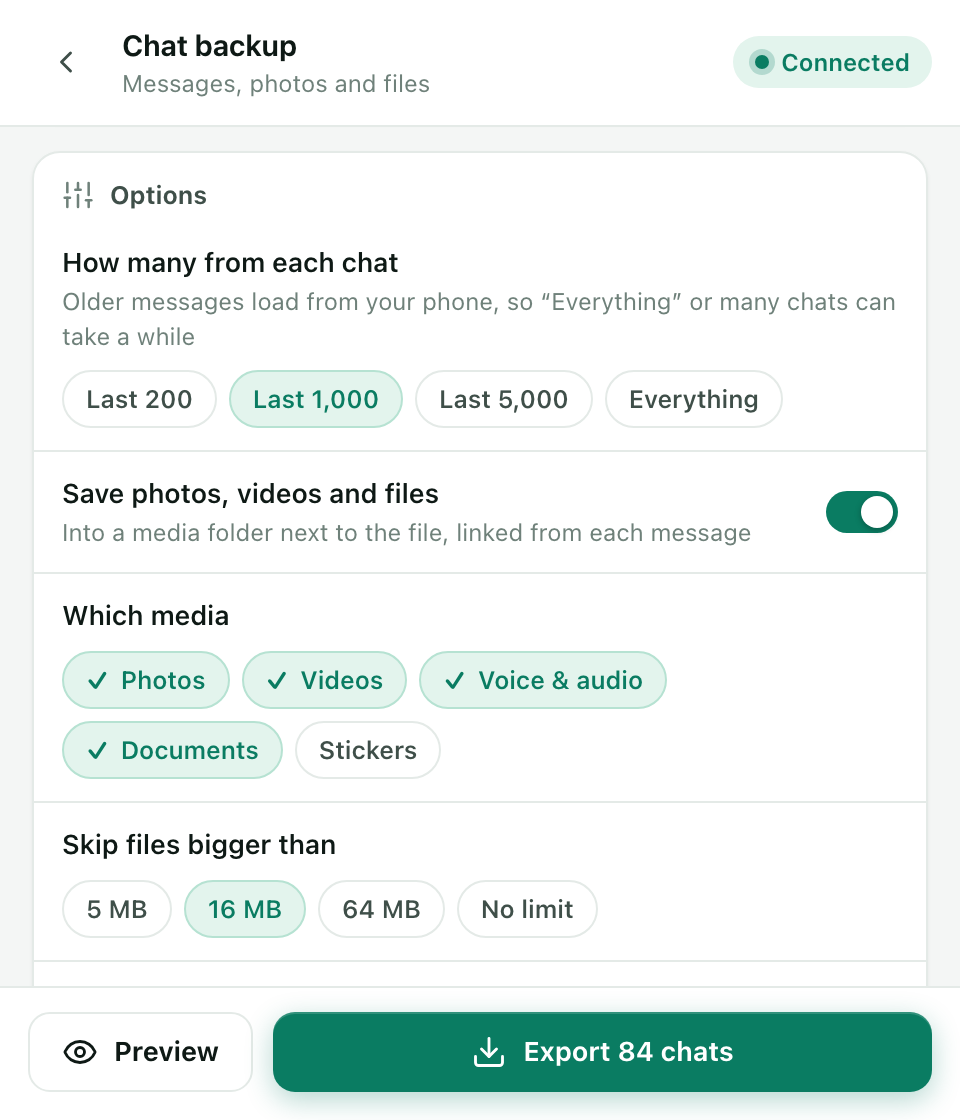
Save the messages of one chat, a few, or every chat at once.
- Choose a date range, and how many messages per chat: the last 200, 1,000, 5,000 or everything
- Keep photos, videos, voice notes, documents and stickers in a folder next to the file, linked from a File column
- Save an HTML chat backup that reads like a chat and opens offline in any browser
Small things that save you time
- One row per personPeople in several groups are merged, with the groups they're in listed together.
- Country column and filterWorked out from each number's country code, so you can keep just one country.
- vCard for your phoneSave a .vcf file and import the numbers into your phone's contacts.
- The format you needExcel (.xlsx), CSV, JSON, vCard, and HTML for chat backups.
- A sheet per groupPick several groups and get one Excel file with a sheet for each.
- Export historyYour recent files are listed, so you can find them again.
- Full tab or side panelOpens in its own tab, or next to WhatsApp Web in Chrome's side panel.
- Light and darkFollows your computer, or pick one.
- 50+ languagesUse ChatSheet in your own language.
Three steps to your first export
-
Open WhatsApp Web
Go to web.whatsapp.com in Chrome and log in by scanning the QR code with your phone.
-
Click the ChatSheet icon
It's in Chrome's toolbar. Can't see it? Click the puzzle-piece icon and pin ChatSheet.
-
Pick and export
Choose what to export, pick your groups or chats, set the options, then click Preview or Export.
Your data stays on your computer
- ChatSheet runs inside your browser and only reads what WhatsApp Web already shows you.
- Files are saved to your Downloads folder. Nothing is sent to us or to anyone else.
- No analytics, no tracking, no ads, and no code loaded from the internet.
- No sign-up, no account, and no hidden charges.
Made for running your own groups
ChatSheet helps you keep track of the groups and contacts you already have. It doesn't send messages in bulk or find new numbers.
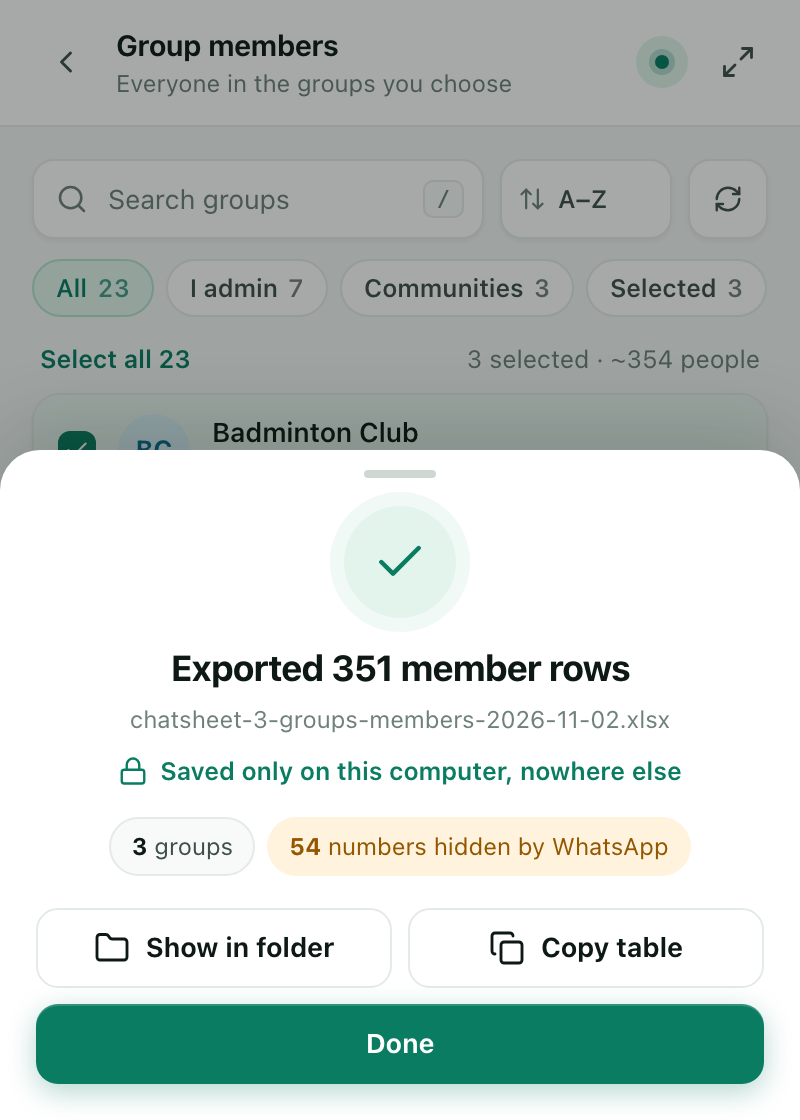
- Hidden numbers stay hiddenIn communities and some groups, WhatsApp shows members by name only. ChatSheet keeps the name and marks the number "Number hidden by WhatsApp". It never tries to get around this.
- Respect other people's dataExported numbers and messages belong to other people too. Keep your files private, and don't add anyone to a list or group without their agreement.
Questions people ask
Is ChatSheet really free?
Yes. There are no hidden charges, no paid plan and no export limits. You don't need to sign up or create an account.
Does ChatSheet send my data anywhere?
No. Everything happens inside your browser, and files go to your Downloads folder. Nothing is sent to us or to anyone else. See the privacy policy.
Why do some members show "Number hidden by WhatsApp"?
In communities and some groups, WhatsApp shows members by name only and doesn't share their number with you. ChatSheet keeps their name and marks the number as hidden. It doesn't try to work around this.
Can I export all my chats at once?
Yes. In Chat messages, select all chats, choose a date range and how many messages to keep per chat, and export. Large backups take a while, so keep the WhatsApp Web tab open and your phone online.
Does it work on my phone?
No. ChatSheet is a Chrome extension for computers. It works in Chrome 116 or newer on Windows, Mac, Linux and ChromeOS, together with WhatsApp Web.